
Key Takeaways
- Wi-Fi is radio: 2.4 GHz travels farthest through walls, 5 GHz is faster up close, and 6 GHz is the fastest and cleanest but reaches the shortest distance.
- The speed printed on a router box is a theoretical total added up across all its bands — a typical phone or laptop can only ever use a fraction of it.
- Canada opened the full 6 GHz band for Wi-Fi in May 2021, and Wi-Fi 7 uses it with channels twice as wide again.
Your router is a radio station that never goes off air
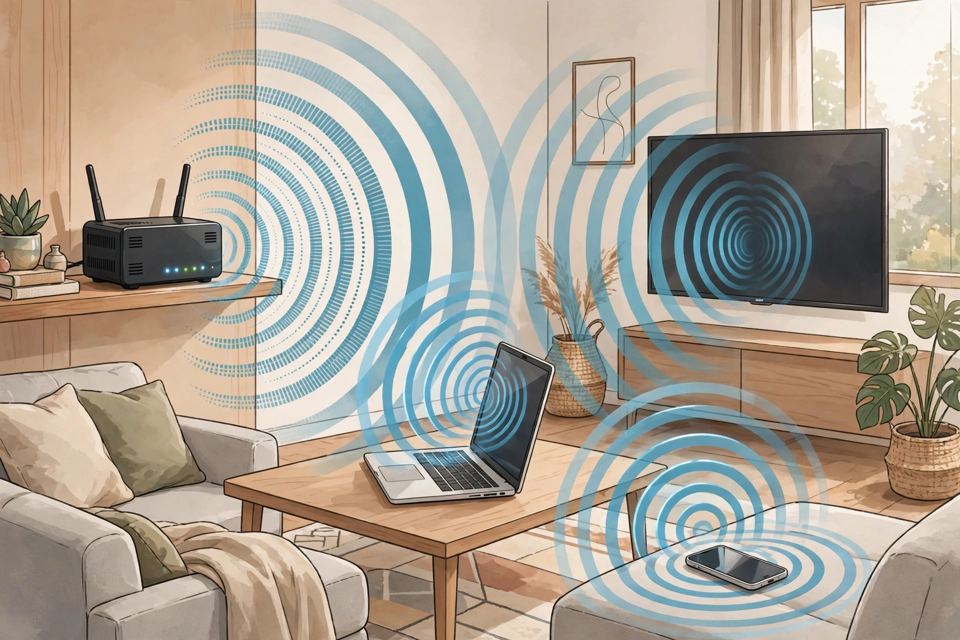
Wi-Fi feels like magic — no cables, no dial tone, just internet in the air. Underneath, it is something much older: radio. Your router is a small two-way radio station, your phone is another, and everything you watch, send and scroll is data encoded onto radio waves, under the family of technical standards called IEEE 802.11. The Wi-Fi Alliance, the industry group that certifies products actually work together, is the reason the boxes all say "Wi-Fi" instead of a string of numbers and letters.
Here is how the trick actually works — and why your real speed never matches the number on the box.
Three bands, three personalities
Wi-Fi broadcasts on three sets of frequencies, and the trade-off is basic physics: lower frequencies travel farther and pass through walls better, but carry less data; higher frequencies carry far more data, over shorter distances.
- 2.4 GHz is the long-distance band. It reaches the far bedroom and gets through walls best — but it is narrow, slow by modern standards, and crowded: Bluetooth, microwave ovens, baby monitors and every neighbour's router all share it.
- 5 GHz is the sprinter. It offers much wider channels and far higher speeds, but its waves fade faster through walls and floors. It is faster than 2.4 GHz when you are close enough for a clean signal — at the far end of a house, 2.4 GHz often wins.
- 6 GHz, used only by Wi-Fi 6E and Wi-Fi 7 gear, is a vast new stretch of spectrum — up to 1,200 MHz of it, against the sliver 2.4 GHz has — so it is fast and almost empty. It is also the weakest of the three at getting through walls.
Channels: lanes on the same road
Each band is sliced into channels — lanes that one network uses at a time. In the 2.4 GHz band the lanes overlap so much that only three, channels 1, 6 and 11, never collide with each other. When your network and a neighbour's sit on the same or overlapping channel, your devices literally have to take turns and wait for a quiet moment — the rule is listen first, then talk, then wait a random extra beat if someone else started first. That polite queue, not a weak signal, is why apartment Wi-Fi slows down at 8 p.m.
Lanes can also be merged. Bonding neighbouring channels makes a wider one — 40, 80, even 160 MHz — which moves more data for one device but leaves fewer clean lanes for everyone else. In a dense building, a narrower channel can genuinely be the faster choice.
Your router also quietly protects you from your own walls. Data is packed onto the wave more densely when the signal is clean, and automatically packed looser as the signal weakens with distance — which is the real reason speed falls off room by room, even when the little icon still shows full bars.
The generations, honestly labelled
Every speed below is a theoretical maximum — the widest channel, the most antennas, a perfect signal. No phone achieves them.
- Wi-Fi 4 (2009): up to 600 Mbps on paper. Introduced multiple antennas sending separate streams at once.
- Wi-Fi 5 (2013): up to about 3.5 Gbps in real products. Added beamforming — aiming the signal toward your device instead of spraying it everywhere.
- Wi-Fi 6 (2019): up to 9.6 Gbps on paper. Its big trick serves several devices in a single transmission instead of making each wait its turn.
- Wi-Fi 6E (2021): the same technology as Wi-Fi 6, plus the new 6 GHz band.
- Wi-Fi 7 (2024): channels twice as wide again in 6 GHz; the marketing ceiling is about 46 Gbps, while a typical two-antenna laptop's theoretical link tops out around 5.8 Gbps.
Why your speed is not the number on the box
That "AX3000" on a router carton is not a speed — it is a sum, adding the theoretical maximum of every band the box can broadcast. Your phone connects on one band, with (usually) two antennas, where a Wi-Fi 6 headline rate assumes eight. Real throughput also runs at roughly half to three-fifths of the negotiated link rate on a good day, because Wi-Fi is one-conversation-at-a-time and every transmission carries overhead. And nothing on Wi-Fi can ever beat the internet plan coming into the house: Wi-Fi is only the last hop, from the router to your hand.
While we are clearing up boxes: the modem translates your provider's signal into something your network understands; the router directs traffic between your home and the internet; the access point is the actual radio your phone talks to — and the "router" you bought is usually all three in one case. A mesh kit is simply several access points acting as one team: it buys you coverage in dead zones, not a higher speed ceiling.
One security note: if your router offers WPA3, use it. Under the older WPA2, a snooper who records your network's login handshake can try to crack the password offline, at leisure; WPA3's handshake forces every guess to happen live, against the router, and gives each connection its own fresh key. WPA2 with a strong password is still considered acceptable — but WPA3 is strictly better. Canada, meanwhile, was early to the newest spectrum: in May 2021, the federal regulator opened the full 6 GHz band for Wi-Fi, and Canada was the first country to approve all three classes of 6 GHz devices — indoor, standard-power and very-low-power.
The Twikup Take
Wi-Fi is not one technology but a negotiation — between distance and speed, between your devices and your neighbours', between the fantasy number on the box and the physics of a wave crossing a wall. Once you know it is radio all the way down, the fixes stop being mysterious: get closer, pick a cleaner lane, and never believe a sum printed on a carton.
Image: Illustrative image.