
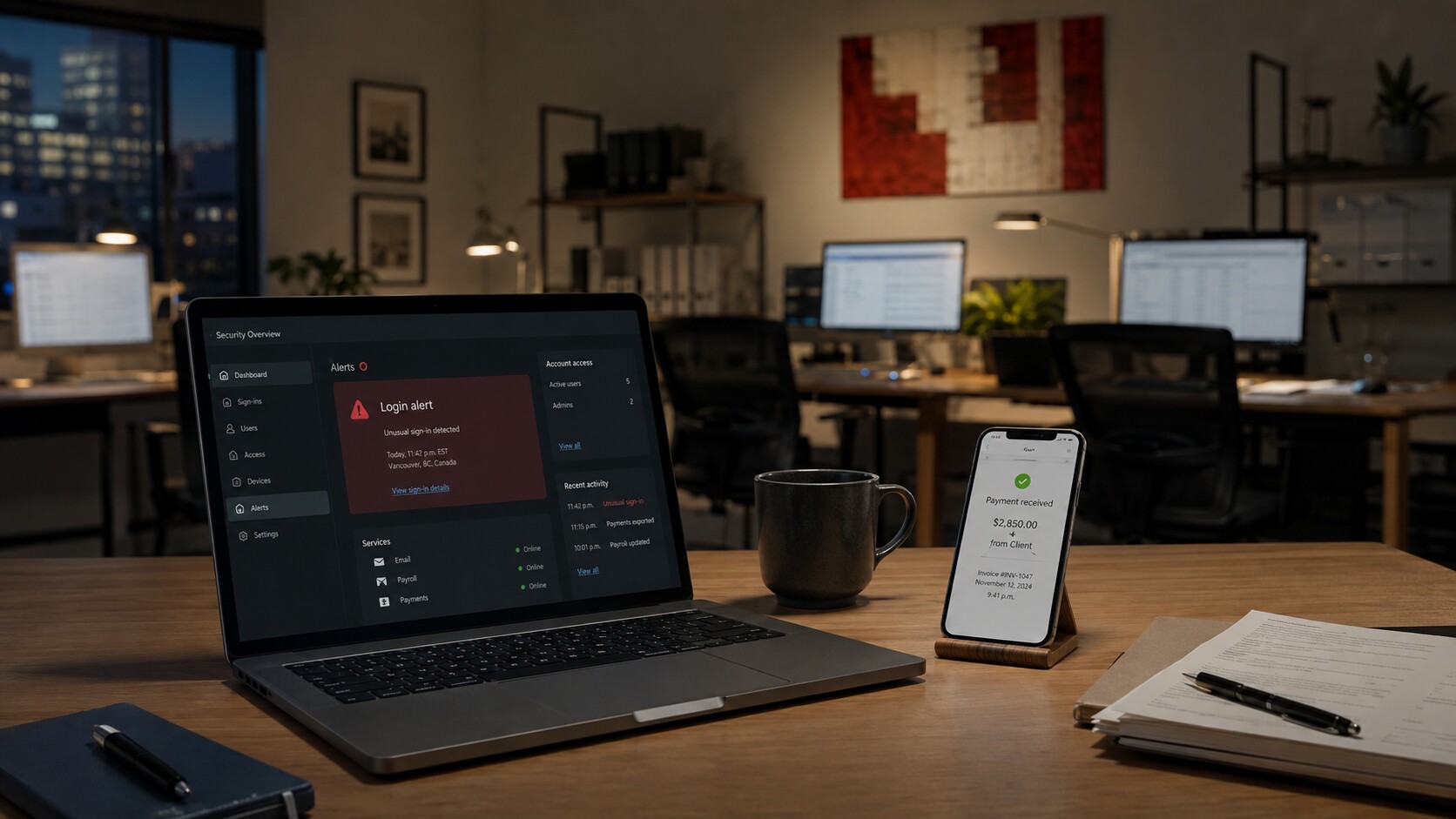
A payment alert arrives just as an employee says they cannot access payroll. Your web contractor is unreachable, and the password-reset emails go to an inbox only one person can open.
For small business cybersecurity in Canada, secure email and administrator accounts first. Then work outward to banking and payroll, staff access, devices, data, backups, and the domain and website. The benefit is concrete: fewer single points of failure and a clearer path back to normal after an incident.
Start with what could stop the business
Imagine a five-person bookkeeping practice using cloud email, online banking, payroll, laptops, shared client files, and a contractor-managed website. Each service seems manageable alone. Together, they are the operating spine.
Begin with a consequence check: if this account, device, or provider became unavailable today, would billing, payroll, client service, or access to funds stop? Put the answers in one list. That list—not a vendor’s product catalogue—sets the order of work.
According to Statistics Canada, 16% of surveyed Canadian businesses were affected by cybersecurity incidents in 2023, and total recovery spending was $1.2 billion, double the 2021 amount. The survey covers enterprises with 10 or more employees, so it is not a risk estimate for sole proprietors or every microbusiness. It does underline why recovery deserves planning alongside prevention.
Secure seven areas in practical order
Use controls already available in account and device settings before adding another dashboard. Assign an owner to every item and record the change somewhere reachable if email is unavailable.
| Priority | Area | First practical move |
|---|---|---|
| 1 | Email and administrator accounts | Enable multi-factor authentication and identify a backup administrator. |
| 2 | Banking and payroll | Use separate credentials, enable available transaction alerts, and set an approval process for unusual payments. |
| 3 | Employee and contractor access | Give each person an individual account and remove access when work ends. |
| 4 | Computers, phones, and payment devices | Turn on automatic updates and screen locks; use encryption where available. |
| 5 | Customer and business data | Limit access to people who need it and remove unnecessary copies. |
| 6 | Backups | Keep a separately protected copy and test a restoration. |
| 7 | Domain and website | Confirm control of the registrar account, renewal settings, and recovery email. |
This order can expose a quiet but serious gap. In the bookkeeping example, the contractor controls the domain registrar account. Fixing that ownership question may matter more than buying a new scanning service.
Treat email as the master key
Email commonly receives password-reset messages for cloud files, payroll systems, online services, and domain accounts. A compromised inbox can become a route into several other services.
Give every worker a separate account instead of sharing one login. Restrict administrator rights to people who genuinely need them, and document how the business regains access if the primary administrator is unavailable. A password manager can reduce password sharing in messages or spreadsheets, but it does not replace clear account ownership.
When an employee or contractor leaves, review their mailbox, shared folders, remote-access tools, website permissions, and saved service logins. No former relationship should remain an unnoticed route into the business.
Make devices, data, and backups recoverable
Create a compact inventory of computers, phones, payment terminals, external drives, and the person responsible for each. According to the federal CyberSecure Canada incident-response template, warning signs can include unusual login or remote-access activity, suspicious files or unapproved programs, payment-device tampering, and lost devices holding sensitive data.
Install updates promptly, require screen locks, and decide which roles need access to client records. Unrestricted access may feel convenient until an account is misused or a laptop is lost.
A backup is not a recovery plan until someone has restored a file from it. Choose one essential folder and test it. For the bookkeeping practice, restoring the current client ledger is more meaningful than restoring office photos. Record how long it took, who did it, and what was missing. The result helps set the recovery order in the incident plan.
Put vendors inside the plan
A cloud provider, website developer, managed IT company, or payroll service may store data or access essential systems. Establish the important details before an emergency forces a search for contacts and permissions.
Ask each provider:
- What business or customer data can you access, store, or download?
- Can we require multi-factor authentication and individual accounts?
- Who receives alerts about unusual activity?
- How do we restore our data, and who can start that process?
- Who is the incident contact if email is down?
- How do we retrieve or delete data when the contract ends?
Keep the answers with the contract owner, renewal date, and account-recovery details. A sales contact is not necessarily the person who can help during a breach.
Keep the incident response plan usable
When an incident is suspected, time disappears in questions about who is in charge and what can safely be disconnected. According to Innovation, Science and Economic Development Canada’s incident-response guidance, the six phases are preparation, identification, containment, eradication, recovery, and learning. The guidance says plans should identify roles, instructions for common attacks, and actions required for mandatory reporting.
For a small firm, begin with a one-page operational sheet kept in print or another offline format. Include:
- an incident lead and alternate;
- warning signs and a reporting process;
- containment steps and technical-support contacts;
- bank, payroll, insurer, vendor, and legal or privacy contacts as appropriate;
- the recovery order for essential services; and
- an incident log for times, actions, systems, and decisions.
CyberSecure Canada recommends reviewing and updating an incident-response plan at least once every three years. Its template leaves testing frequency to the organization. Reviewing the sheet after major staffing, system, or vendor changes helps keep it usable.
Take a 30-minute first step
Set a timer. List the seven areas, name an owner for each, and mark each one as protected, recovery tested, or unknown. Do not try to finish everything. Fix the first unknown administrator, former-user account, unverified backup, or vendor-owned domain you find.
That exercise turns cybersecurity from an abstract expense into an operating decision. Once the business can see its gaps, it can choose outside help or tools for a defined reason—and know who will act when something goes wrong.
Frequently asked questions
What should a small business secure first?
Start with email and administrator accounts because they can control password resets and access to other services. Next, protect banking and payroll, individual user access, devices, data, backups, and domain and website accounts.
Does a small business need a full-time cybersecurity employee?
Not necessarily. Someone inside the business should own the decisions and plan even if a consultant performs technical work. According to Statistics Canada, 47% of surveyed businesses without cybersecurity employees said they used consultants or contractors to monitor cybersecurity.
How often should an incident-response plan be reviewed?
CyberSecure Canada recommends reviewing and updating it at least once every three years. Review it earlier when essential systems, staff responsibilities, or providers change, and choose a testing schedule that suits the business.
What can indicate a cybersecurity incident?
Potential indicators include unusual logins or remote access, suspicious files or unapproved programs, unusual activity on public-facing systems, payment-terminal tampering, and lost or stolen devices containing sensitive information.